In the previous post, we defined checks and verified them through the API. But the only way to see check results right now is by curling the backend. That’s not going to work for your teams.
In this post, we’ll install the frontend plugin so check results show up directly on entity pages in the Backstage UI.
Step 1: Install the frontend plugin
Install the frontend plugin from your Backstage root directory:
yarn --cwd packages/app add @backstage-community/plugin-tech-insights
The Tech Insights frontend plugin uses the new Backstage frontend system, so there are no additional code changes needed beyond adding the package. Backstage will automatically detect the plugin and register it.
If you’re still on the legacy frontend system, I’d highly encourage you to upgrade. The new frontend system is much simpler to work with. But if you still want to use the legacy system, follow this guide to set it up.
Step 2: Verify in the UI
Start your Backstage instance:
yarn start
Navigate to any entity in your catalog. You’ll see a new Tech Insights tab on the entity page. Click it, and you’ll see a Scorecards section listing all the checks that apply to that entity.
On the entity homepage, you’ll see a summary card showing the check status:
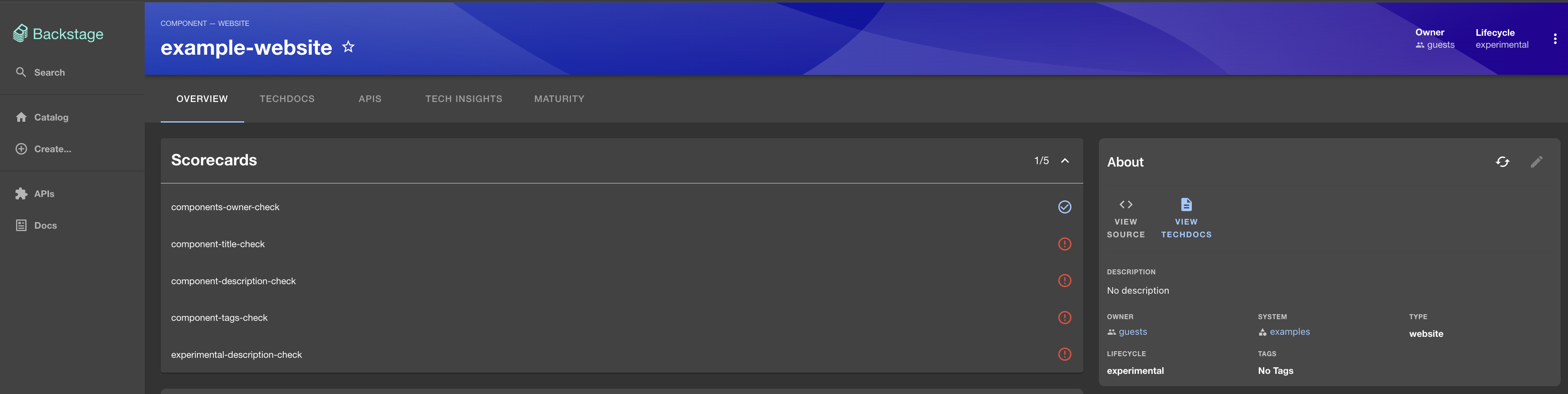
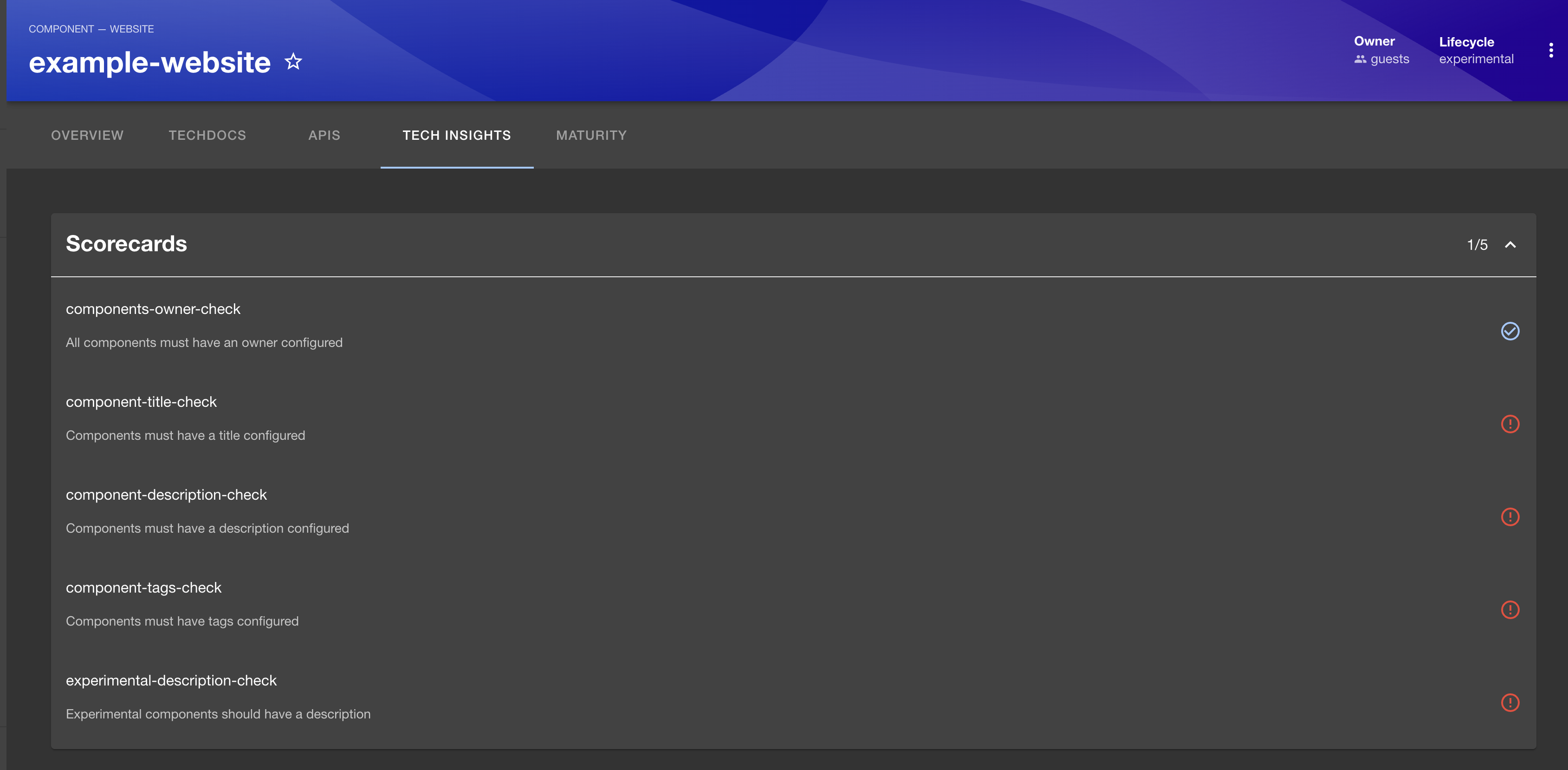
Each check shows its name, description, and a pass/fail icon. Here’s what it looks like for an entity that’s failing most checks:
And here’s an entity with more checks configured, most of them passing:
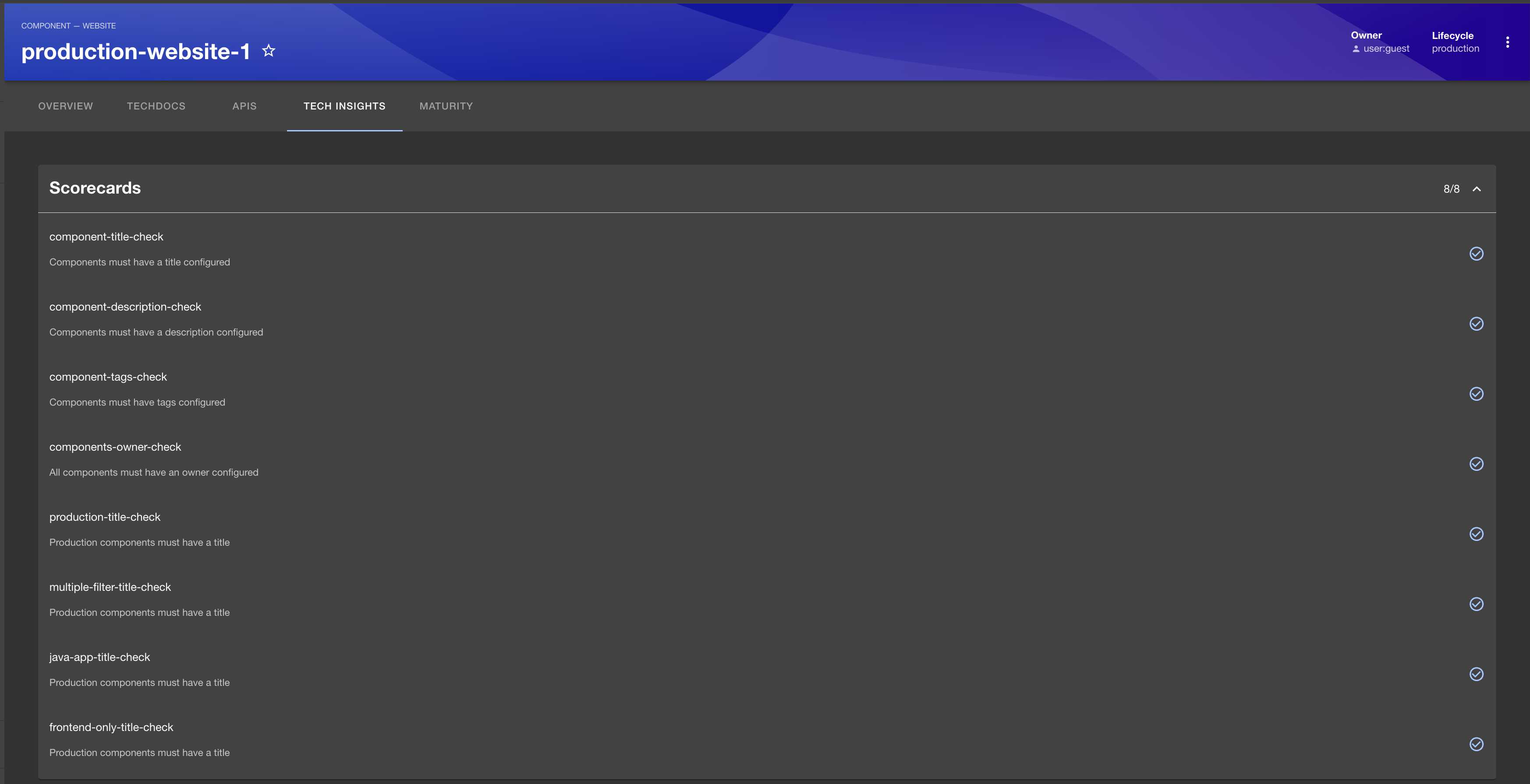
The scorecard groups all your checks into a single view. Notice the score counter in the top right (e.g., “1/5”) which gives you a quick pass/fail ratio at a glance.
The frontend makes the same POST API calls we tested with curl in the previous post. When you open this tab, it triggers the check evaluation and displays the results.
If the scorecard appears empty or shows errors, make sure your fact retrievers have run at least once. Checks can’t evaluate without facts. You can verify this using the facts API from post #3.
What’s next?
With the frontend in place, your teams can now see check results directly on their entity pages. No more curling the API.
In the next post, we’ll set up the Service Maturity component which gives you a different way to visualize the same check data.
Scorecards turn your checks into something your teams can actually see and act on. No more curling the API to find out what’s passing or failing.